 Ezan 360
1Turn on other permissions
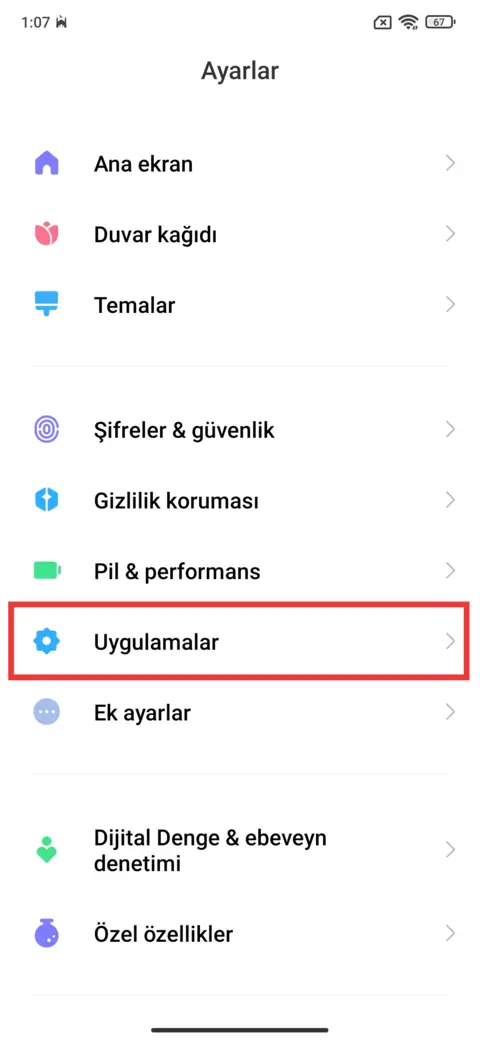
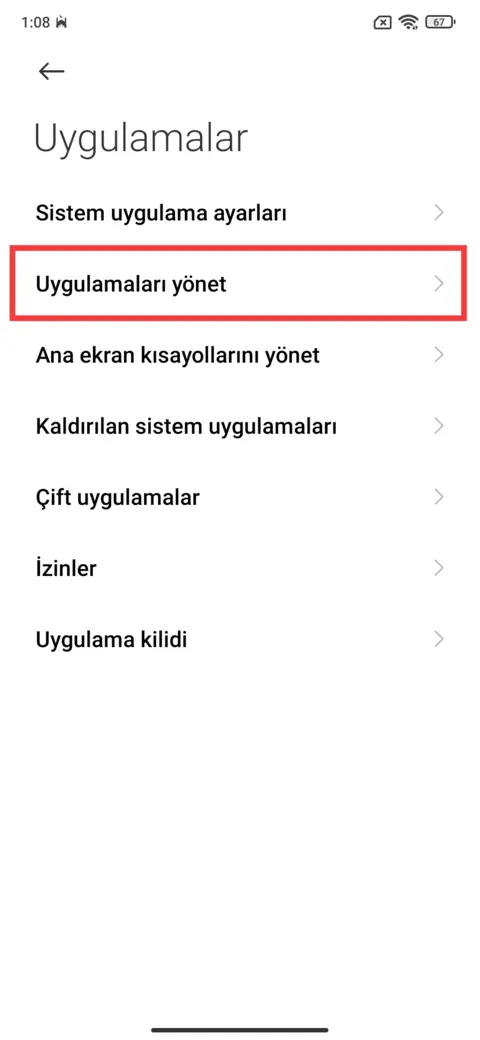
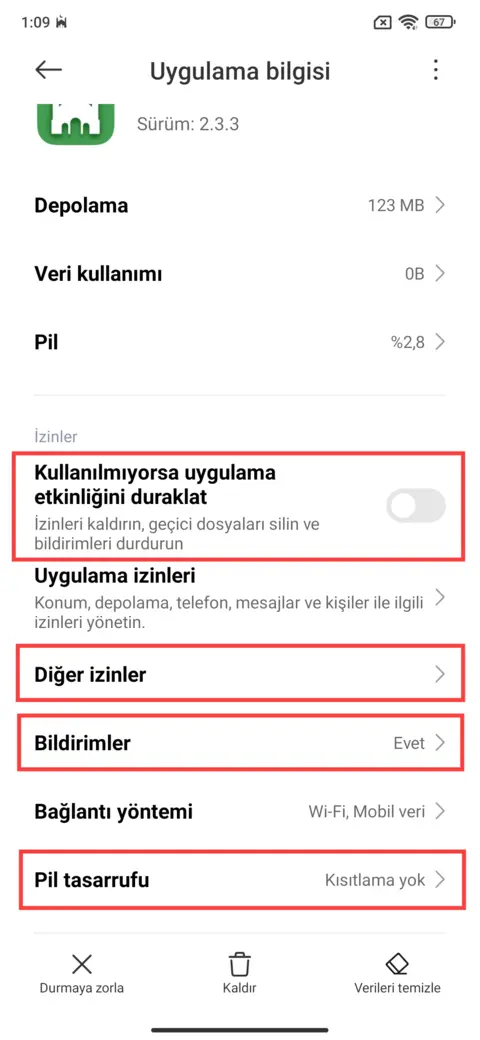
- Open Settings › Apps › Manage apps on your phone.
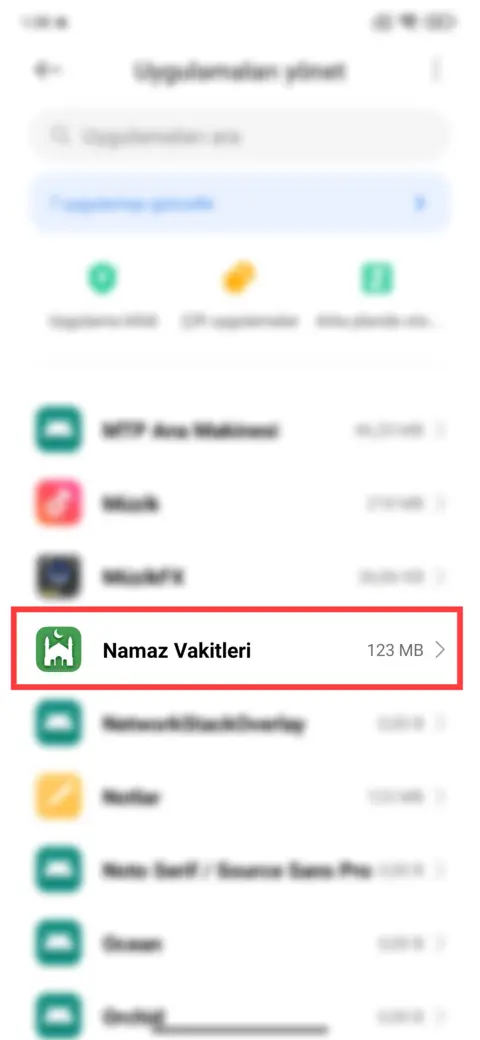
- Select the Namaz Vakitleri app.
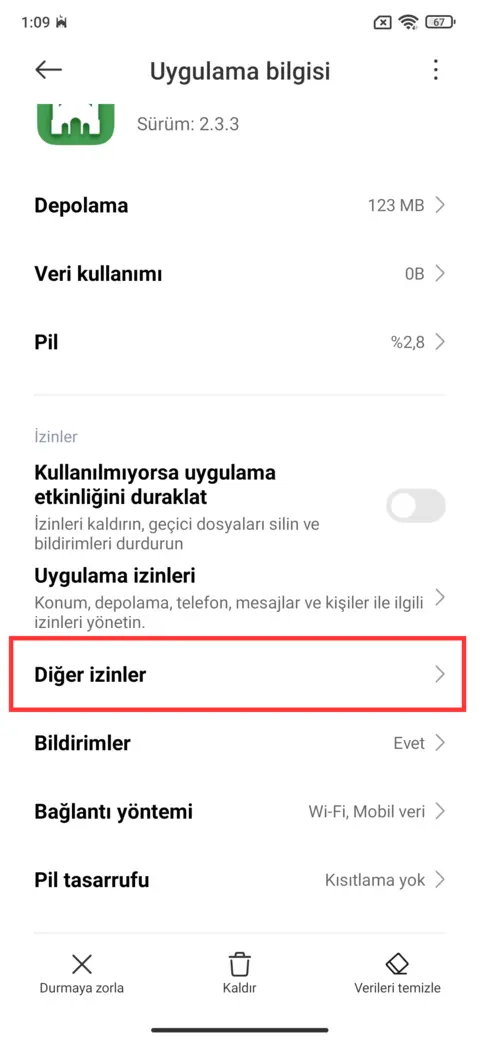
- Turn on the permissions under Other permissions.
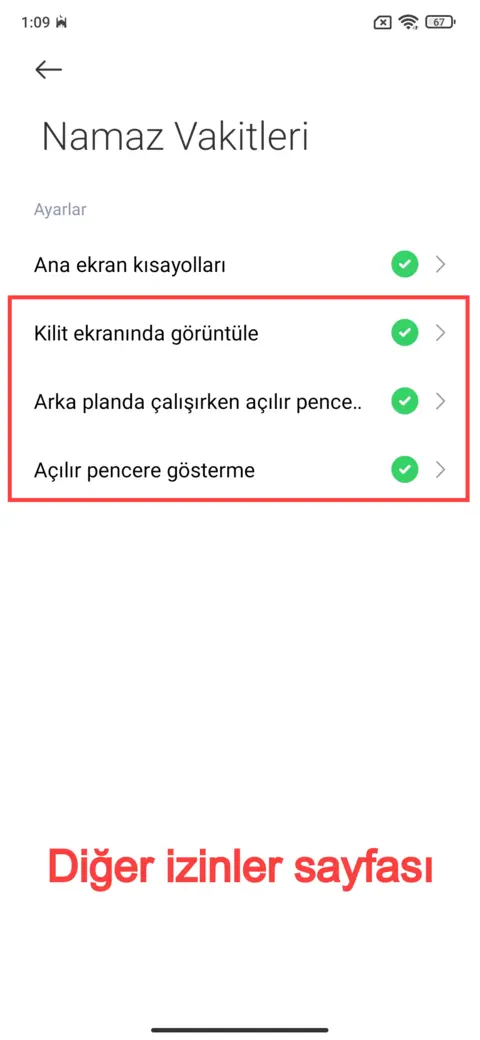
This makes notifications more reliable. If the problem continues, go to the next step.
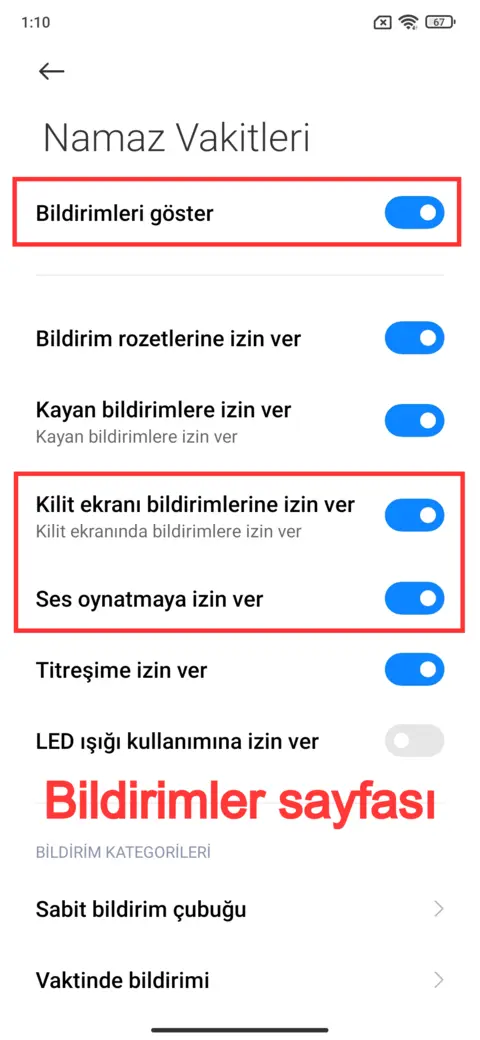
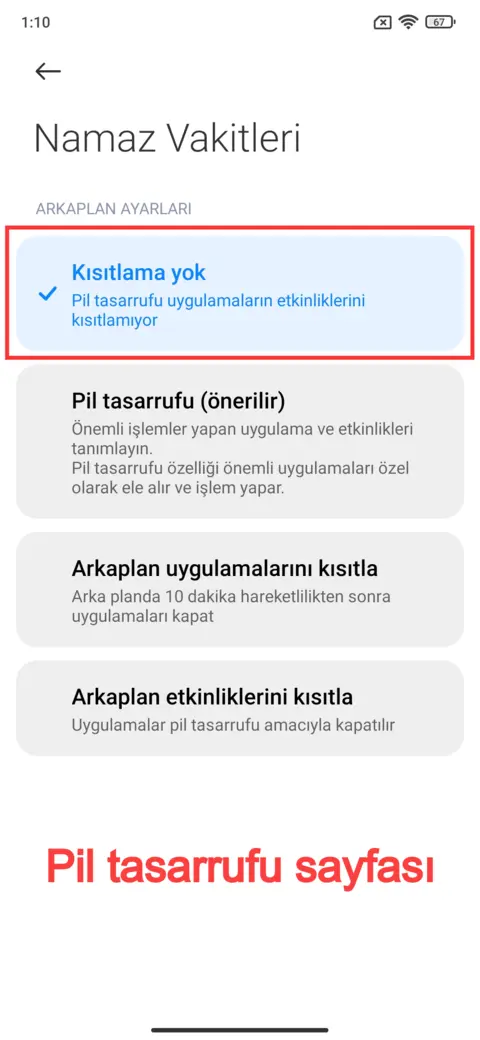
If azan notifications do not arrive, try the steps below. On some phones, such as Xiaomi and Poco, battery saving settings can stop notifications from working properly.
This makes notifications more reliable. If the problem continues, go to the next step.
Still not working, or want to report a bug? Write to us: destek@ezan360.com